
Redmi Note 5 Pro got the MIUI 11 update in October but there is no signs of Android 10 update and chances are that this device will never get it. So here is your chance to try out the Android 10 ROM for Redmi Note 5 Pro.
The Android 10 ROM is the Pixel Experience which is also one of the most used Custom ROM among the Android community. It is an AOSP based Custom ROM with design, wallpapers and Ringtones of Pixel Smartphones.
Before proceeding, make sure to check out the official XDA thread of the ROM for more information. You can read more about Android 10 later in the post.
Related Posts


Download and Install Pixel Experience for Redmi Note 5/Pro (Android 10)
About the ROM
Maintained by: jhenrique09
ROM OS Version: Android 10
ROM Kernel: Linux 4.x
Based On: AOSP
Status: Beta
About Pixel Experience
Pixel Experience is an AOSP based custom ROM which aims at bringing the Pixel OS to all Android devices. To achieve that, this ROM comes with all Pixel goodies like launcher, wallpapers, icons, fonts and boot animation. There is no bloat and the ROM is fast and gives good performance
Apart from these features, you get all the perks of Android 10:
About the Android 10
Android 10 is the latest version released by Google with a lot of new improvements in much-needed areas. With an increased focus on Privacy, the new Dark Mode and the improved Gestures, Android 10 brings a lot of long-awaited features.
Dark Mode
Dark Mode was a very requested feature and Google gave Dark mode in some of its Apps before. System-wide Dark Mode is finally here in the Android 10. It can save a lot of battery life especially if you are using an AMOLED screen. It also goes on your eyes.
Privacy Features
A more powerful set of Privacy features is not just necessary for the user but for the big companies too because of the hefty fines they are getting by Government.
The Permissions are now very strict and will ask if an app can use a particular thing like GPS or a Sensor every time, only when the app is open or it can’t use the Sensor at all. You can find the new Permissions manager in the Setting which will list all the apps using a specific sensor or service.
New Gestures
Android 10 finally brings a New Gestures system that can replace the traditional Three-button navigation system and Android Pie’s navigation bar.
Although the Gestures are inspired by iOS’s gesture (It is the same), the Gestures are now usable and are easy to use.
New Theming options
Theming options were found on Beta 2 version of Android 10 and are expected to come with the release of the Pixel 4 launch.
Focus Mode
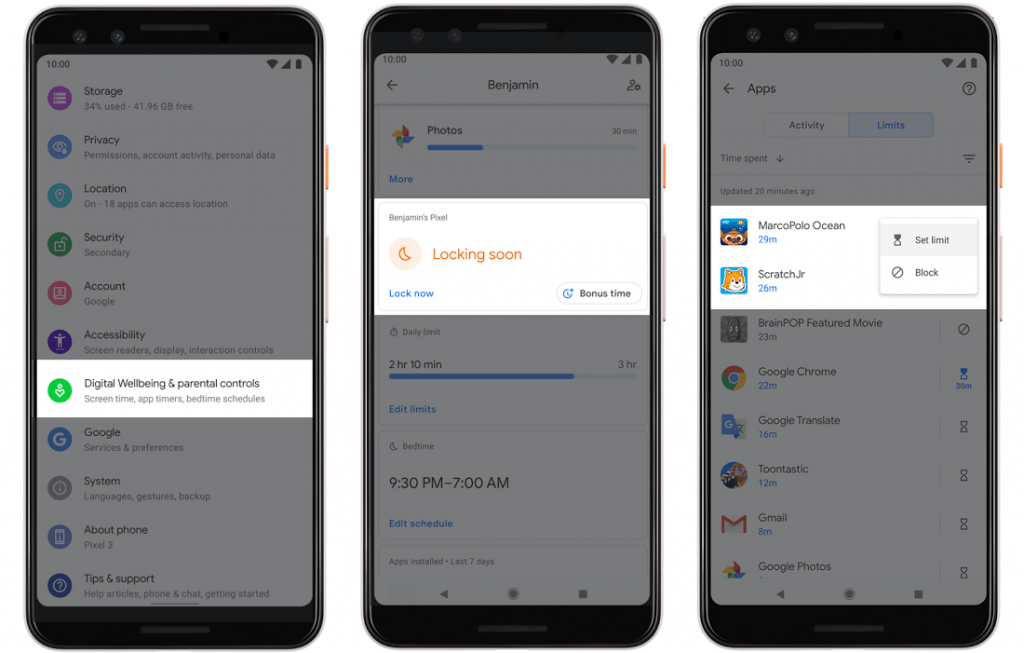
Focus Mode is a feature introduced to curb your Phone addiction. The main point of this feature is that you can select a bunch of apps that are distracting and you can stop them all for a duration of time. At that time, there will be no notifications and you won’t be able to use the app.
New Share menu
The New share menu is now ordered alphabetically and the suggested apps appear on top of the list. It is a big relief as the previous Share menu was a complete mess.
Live Captions
Live caption is a feature that will display captions on a video played offline or with the Video player. It looks like a very good feature for Deaf and people with difficulty in hearing. Also, it can come in handy at night when you don’t want to wake the person sleeping next to you.
Download Section
Prerequisites
- The device should be charged to 50% for uninterrupted flashing of ROM
- PC
- Drivers should be installed on PC for Redmi Note 5 Pro
How to flash the Android 10 ROM on Redmi Note 5 Pro
Step 1: Flash the official TWRP Custom Recovery on the Redmi Note 5 Pro.
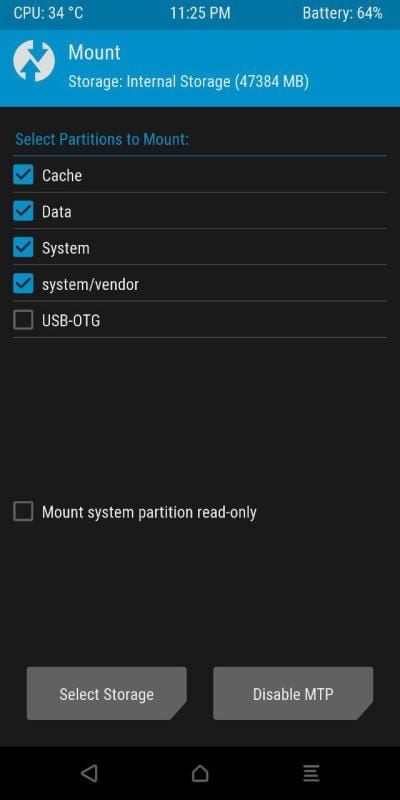
Step 2: Boot to the recovery and in Wipe section, perform a Full Wipe (Data, Cache, System)
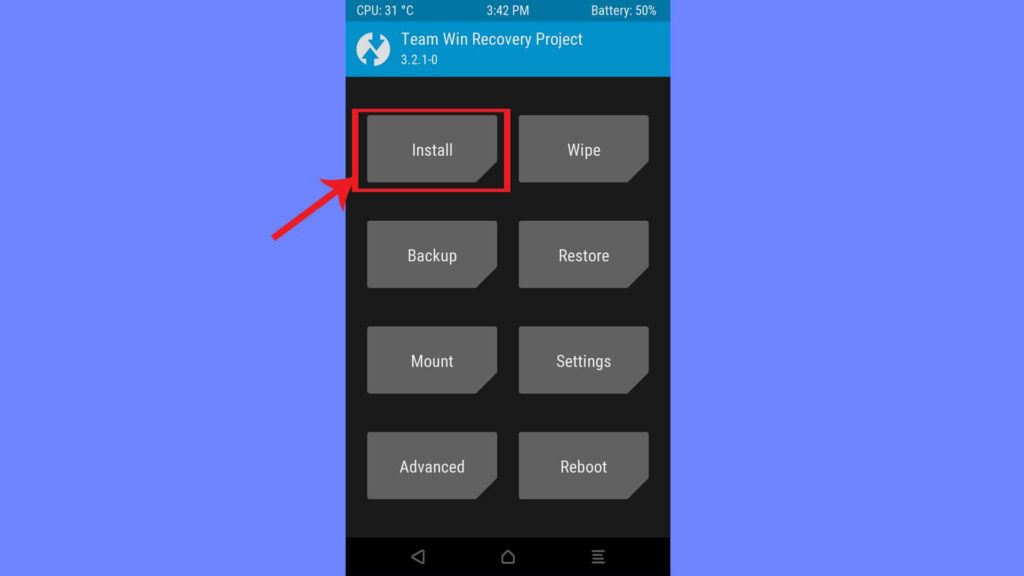
Step 3: Go to the Install section and Flash the ROM Zip file
Step 4: Flash Magisk for root (Optional)
Step 5: Reboot to the System. The first boot will take some time.

