
LineageOS 17.1 for Poco X2 is here, thanks to the developer RandomRetard4676 for the ROM. You can now download the ROM and flash it, flashing instruction are given in the post. Xiaomi is well known for the support they give to developers for developing Custom ROMs and other Mods. This time, they sent 20 units of Poco X2 to several developers over at XDA. RandomRetard4676 is one of them and he is here with LineageOS 17.1, the most trusted Custom ROM in the Android community.
If you are a long time Android user, you must know about the Custom ROMs and the benefit they bring over Stock ROM. Poco X2, in particular, is running on MIUI 11, a Custom Android skin by Xiaomi, however, it is not the favourite OS of everyone. Many Xiaomi users always go the Custom ROM path to get a much better, light and Stock Android experience. Also, Custom ROM brings a lot of features and Customizations, and then the support for Magisk modules and Xposed modules which can totally change the way you use Android.
Speaking of Poco X2, it is powered by the Qualcomm SDM730 Snapdragon 730G with 6 or 8 GB of RAM. It embraces a 120 Hz IPS LCD panel with a resolution of 1080 x 2400 pixels. Coming to the cameras, it houses a Quad Camera setup on the back that consists of a primary Sony IMX686 64 MP sensor, an ultrawide, depth and macro sensor. For the selfies, a primary 20 MP lens accompanied by 2 MP depth sensor are present. It is fueled by a 4500 mAh battery that supports 27W fast charging.
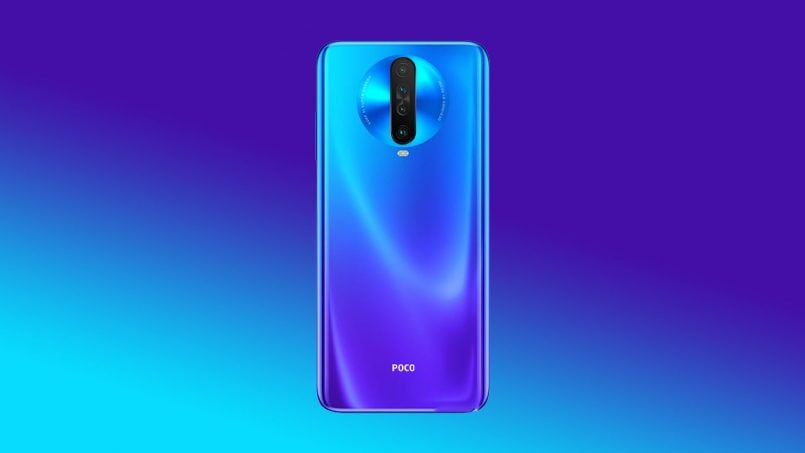
Table of Contents
Download the ROM
- Always Check the Official XDA thread of the Custom ROM before flashing it.
- As this is a Beta build, Bugs and hiccups are expected.
Status: Beta
OS: Android 10
Maintained by: RandomRetard4676
Working:
- Camera (and flashlight)
- WiFi
- Bluetooth
- Telephony (Calls and Data)
- Audio (Record and Playback)
- Video Playback
- Sensors
- GPS
Issues:
- SELinux is Permissive
About LineageOS
LineageOS is the most used and most trusted Custom ROM out there. It was started as CyanogenMod and known to be the first custom ROM or firmware which was able to make its way to some smartphone as pre-installed default firmware.
LineageOS is based on AOSP code and you will hardly feel a difference from stock Android. There are some third-party apps like Trebuchet, AudioFX, Clock, Dialer. Jelly, Eleven Music Player, Recorder, Snap Camera. All the apps are useful and there are no Ads in them. LineageOS comes without Google app or GApps, you have to install them after flashing the ROM.
Due to its stability and performance, many other custom ROMs use LineageOS code as their base, some of them are Resurrection Remix and crDroid.
If you want a daily driver with good battery life and performance, then LineageOS is one the best option for you.
About the Android 10
Android 10 is the latest version released by Google with a lot of new improvements in much-needed areas. With an increased focus on Privacy, the new Dark Mode and the improved Gestures, Android 10 brings a lot of long-awaited features.
Dark Mode
Dark Mode was a very requested feature and Google gave Dark mode in some of its Apps before. System-wide Dark Mode is finally here in the Android 10. It can save a lot of battery life especially if you are using an AMOLED screen. It also goes on your eyes.
Privacy Features
A more powerful set of Privacy features is not just necessary for the user but for the big companies too because of the hefty fines they are getting by Government.
The Permissions are now very strict and will ask if an app can use a particular thing like GPS or a Sensor every time, only when the app is open or it can’t use the Sensor at all. You can find the new Permissions manager in the Setting which will list all the apps using a specific sensor or service.
New Gestures
Android 10 finally brings a New Gestures system that can replace the traditional Three-button navigation system and Android Pie’s navigation bar.
Although the Gestures are inspired by iOS’s gesture (It is the same), the Gestures are now usable and are easy to use.
New Theming options
Theming options were found on Beta 2 version of Android 10 and are expected to come with the release of the Pixel 4 launch.
Focus Mode

Focus Mode is a feature introduced to curb your Phone addiction. The main point of this feature is that you can select a bunch of apps that are distracting and you can stop them all for a duration of time. At that time, there will be no notifications and you won’t be able to use the app.
The New share menu is now ordered alphabetically and the suggested apps appear on top of the list. It is a big relief as the previous Share menu was a complete mess.
Live Captions
Live caption is a feature that will display captions on a video played offline or with the Video player. It looks like a very good feature for Deaf and people with difficulty in hearing. Also, it can come in handy at night when you don’t want to wake the person sleeping next to you.
How to flash LineageOS 17.1 Custom ROM on Poco X2
Instructions are taken from Official XDA thread of ROM
Pre-requisite
- Flash TWRP Custom Recovery
- Charge the device to at least 50%
Step 1: Flash the TWRP Custom Recovery on the Poco X2.
Step 2: Perform a Full Wipe by Going in the Wipe Section
Step 3: Flash the MIUI Package Given Above in Download Section

Step 4: Flash the LineageOS zip file
Step 5: Boot to the recovery and in Wipe section, Format Data (To Decrypt the Device)
Step 6: Flash Magisk for root (Optional) before flashing GApps, otherwise it will not work.
Step 7: Flash GApps (Download from Above)
First boot will take some time so be patient. And that’s it, you have flashed the LineageOS 17.1 Custom ROM for Poco X2.
If you are facing any problem or got a question, leave a comment below.

